Tools Protect Your Website from Attacks
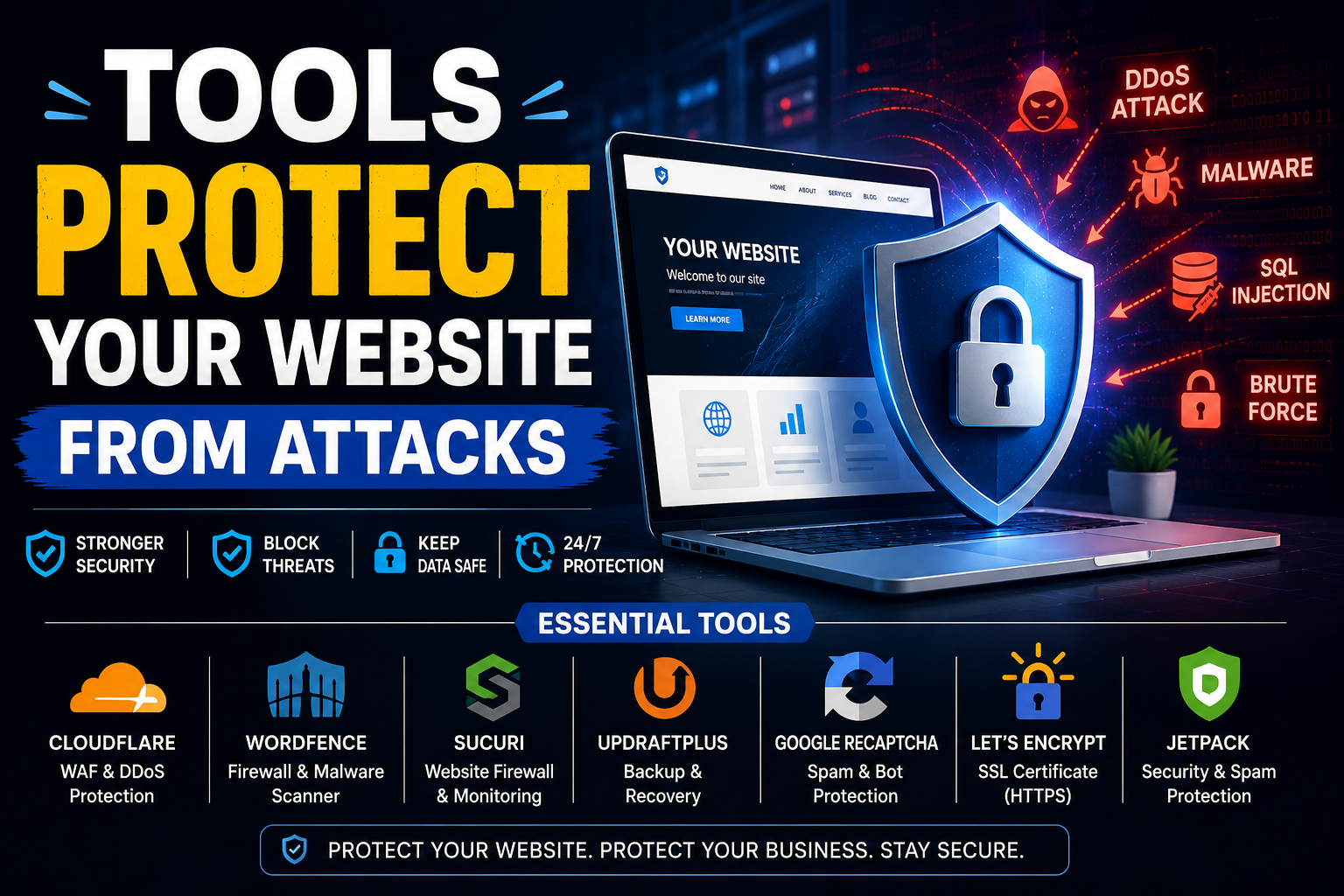
Every website is a target. That is not an exaggeration — it is a documented reality of the internet in 2026. 78% of organisations worldwide reported experiencing a successful cyberattack in 2025, and the victims are not only large enterprises with complex IT systems. Startups, small businesses, bloggers, and e-commerce stores are targeted continuously by automated bots, brute force scripts, and opportunistic attackers scanning the internet for known vulnerabilities. The average cost of a data breach for US companies hit a record $10.22 million in 2025, according to IBM’s Cost of a Data Breach Report — and even smaller breaches can destroy customer trust, trigger regulatory penalties, and take a site offline for days.
The good news: the tools to defend your website are more capable, more accessible, and more affordable than at any point in the history of the web. Here is a comprehensive guide to the tools that actually protect your website from attacks in 2026 — what each one does, who it is best suited for, and how they work together as a layered defence.
1. Web Application Firewall (WAF) — Your First Line of Defence
A Web Application Firewall sits between your website and incoming traffic, inspecting every request and blocking those that match known attack patterns — SQL injection, cross-site scripting (XSS), remote code execution, and other OWASP Top 10 vulnerabilities. Many breaches happen because of simple gaps in security — SQL injection, XSS, and remote code execution can harm systems that are not well protected. A WAF closes those gaps automatically, without requiring you to manually patch every vulnerability in your code.
- Cloudflare WAF: The most widely deployed WAF on the internet. Cloudflare’s free plan includes basic WAF protection, DDoS mitigation, and CDN acceleration for any website. The Pro plan at $20/month activates managed rulesets that are updated continuously as new threats emerge. For most small to medium websites, Cloudflare’s free and Pro tiers provide enterprise-grade WAF protection at a fraction of traditional costs.
- Sucuri: A cloud-based security platform specifically designed for websites — particularly WordPress, Joomla, and Drupal installations. Sucuri’s WAF filters malicious traffic before it reaches your server, and its platform includes malware scanning, malware removal, and blacklist monitoring. Particularly well regarded for its incident response when a site has already been compromised.
- Wordfence (WordPress): The most popular WordPress security plugin, with over 5 million active installations. Wordfence includes a firewall, malware scanner, login security (brute force protection, two-factor authentication), and real-time threat intelligence. The free version covers the fundamentals effectively; the Premium version at $119/year adds real-time firewall rules and malware signatures.
2. DDoS Protection — Staying Online Under Attack
Distributed Denial of Service (DDoS) attacks flood your server with traffic until it becomes unresponsive — taking your website offline without ever breaching your security. DDoS attacks have grown significantly in both frequency and scale, with volumetric attacks reaching hundreds of gigabits per second now relatively common. No on-premise hardware can absorb these attacks — only cloud-based mitigation services with global network capacity can.
- Cloudflare: Includes unmetered DDoS mitigation on all plans including the free tier — one of the most significant value propositions in website security. Cloudflare’s global network absorbs attack traffic at the edge, before it reaches your origin server.
- Imperva (formerly Incapsula): Enterprise-grade DDoS protection with sub-second detection and automatic mitigation. Suited to larger organisations and e-commerce platforms where downtime has direct revenue consequences.
- AWS Shield: For websites hosted on Amazon Web Services, AWS Shield Standard provides always-on DDoS protection automatically at no additional cost. Shield Advanced adds enhanced detection, 24/7 DDoS response team access, and cost protection.
3. SSL/TLS Certificate — The Non-Negotiable Baseline
An SSL/TLS certificate encrypts data transmitted between your website and your visitors — protecting login credentials, payment information, and personal data from interception. In 2026, HTTPS is not optional: Google penalises HTTP sites in search rankings, modern browsers display “Not Secure” warnings on unencrypted pages, and users are increasingly unwilling to submit any information on a site without the padlock icon.
Let’s Encrypt provides free, automatically renewing SSL certificates via most modern hosting providers. Cloudflare provides free SSL through its proxy. There is no technical or financial barrier to running HTTPS on any website in 2026 — it is simply a baseline requirement that every site must meet.
4. Vulnerability Scanners — Finding Weaknesses Before Attackers Do
Vulnerability scanners probe your website for known security weaknesses — outdated plugins, misconfigured server settings, exposed admin panels, insecure headers, and unpatched software — and report them before attackers can exploit them. Attackers are no longer just casting wide nets with generic viruses — they are employing cunning tactics to find specific vulnerabilities in website code, plugins, and server configurations.
- Beagle Security: An automated web application penetration testing tool that identifies vulnerabilities on your website before hackers exploit them. Generates detailed reports with remediation guidance, making it practical for developers and non-security specialists alike.
- Acunetix: Web app and API security software that automates vulnerability testing, finds weaknesses, and integrates into development pipelines. Suited to development teams who want to embed security testing into their CI/CD workflow.
- OWASP ZAP (free): The Open Web Application Security Project’s Zed Attack Proxy is a free, open-source vulnerability scanner widely used by security professionals and developers. More technical than commercial alternatives but enormously capable for those willing to invest in the learning curve.
5. Malware Scanning and Removal
Malware infections can inject malicious code into your website files, redirect visitors to fraudulent sites, steal customer data, and get your domain blacklisted by Google — all without you noticing immediately. Regular malware scanning detects infections early, before they cause serious damage. Use a security plugin to perform regular scans of your website files and database — these tools can detect malware and other suspicious activity, allowing you to address threats before they cause significant damage.
- SiteLock: A cloud-based solution that scans websites for malware, removes infections automatically, and monitors for blacklisting. Offers daily scanning with alerts when threats are detected.
- Sucuri SiteCheck: A free online malware scanner that checks your site for known malware, blacklisting status, and website errors. A quick first-pass tool for any site owner suspecting a compromise.
- Wordfence (WordPress): Its malware scanner checks core files, themes, and plugins against the WordPress repository to detect file changes and known malware signatures.
6. Bot Protection — Blocking Automated Threats
A significant proportion of all web traffic in 2026 is automated — bots scraping content, bots testing stolen credentials (credential stuffing), bots probing for vulnerabilities, and bots submitting spam through contact forms. Not all bots are malicious (search engine crawlers are bots too), but distinguishing legitimate from malicious automated traffic is a critical security challenge.
- Cloudflare Bot Management: Uses machine learning to distinguish legitimate bots from malicious ones, blocking bad actors while allowing search engines and monitoring tools to access your site normally.
- GeeTest CAPTCHA: Protects websites, mobile apps, and APIs from bad bot attacks with zero user friction — a significant improvement over traditional CAPTCHAs that frustrate legitimate users while being increasingly bypassed by AI-powered bots.
- Limiting login attempts: A simple but effective plugin-level protection against brute force attacks — after a configurable number of failed logins from a single IP, that IP is temporarily blocked.
7. Backup Solutions — Your Last Line of Defence
No security tool is 100% effective. Backups are not a prevention tool — they are a recovery tool — but in the context of ransomware, accidental deletion, and catastrophic failures, they are arguably the most important single protection a website owner can have. A reliable, recent backup means that even a successful attack does not mean permanent loss.
- Jetpack (WordPress): Includes automated daily backups with one-click restore, stored offsite. Particularly valuable for WordPress sites where a single update can occasionally break a site entirely.
- UpdraftPlus (WordPress): The most popular WordPress backup plugin, supporting scheduled backups to remote storage (Google Drive, Dropbox, Amazon S3, or remote FTP).
- Hosting-level backups: Most managed hosting providers — Kinsta, WP Engine, SiteGround — include automated daily backups as standard. Verify that your host’s backup retention period meets your recovery needs, and always maintain an independent offsite backup in addition to any hosting-provided solution.
8. Security Headers — The Underused Quick Win
HTTP security headers are instructions sent from your web server to browsers that restrict how your site’s content can be loaded and interacted with — preventing clickjacking, cross-site scripting, MIME-type sniffing, and other browser-based attacks. They cost nothing to implement and require no ongoing maintenance, yet a surprisingly large proportion of websites — including many high-traffic ones — still do not implement them correctly.
The most important headers to implement are: Content-Security-Policy (CSP), X-Frame-Options, X-Content-Type-Options, Strict-Transport-Security (HSTS), and Permissions-Policy. Use SecurityHeaders.com to grade your current implementation and identify exactly what needs to be added — it takes minutes to check and the fixes are straightforward for any developer or technically capable site owner.
Building a Layered Defence
The most important principle in website security in 2026 is layering. No single tool stops every attack — but multiple tools working together create a defence where an attacker who bypasses one layer encounters another. The minimum viable security stack for any website in 2026 is: HTTPS everywhere, a WAF (Cloudflare free tier is sufficient for most sites), regular malware scanning, login attempt limiting, automated offsite backups, and correct security headers. This combination costs very little, takes a few hours to implement, and closes the vast majority of attack vectors that compromise ordinary websites.
The cost of being unprepared is measured in downtime, data loss, customer trust, and regulatory fines. The cost of being prepared is measured in an afternoon of setup and a modest monthly subscription. In 2026, there is no reasonable argument for choosing the former.